CRTA Review: Learning Windows AD Attack Chains in Pentesting Format
Introduction
Before I go into more detail about this certification, I’d like to introduce myself and share a bit about my background. I’m a second-year IT student specializing in cybersecurity, with just over a year of fairly intensive experience and study under my belt. Since I’m still new to the field, I’ve been looking for a Red Team or offensive security certification that’s suitable for beginners and affordable for students. After doing some research and reading reviews and blog posts, I decided to pursue the CRTA certification. And when I purchased the voucher, it turned out to be 80% off you could say it was a stroke of luck.
What is CRTA?
The Certified Red Team Analyst (CRTA) by Cyberwarfare Labs is a red team or offensive security certification that focuses on system penetration as follows:
- Abuse Web & Network Technologies
- Manually perform Network Pivoting
- Kerberos Based Attacks
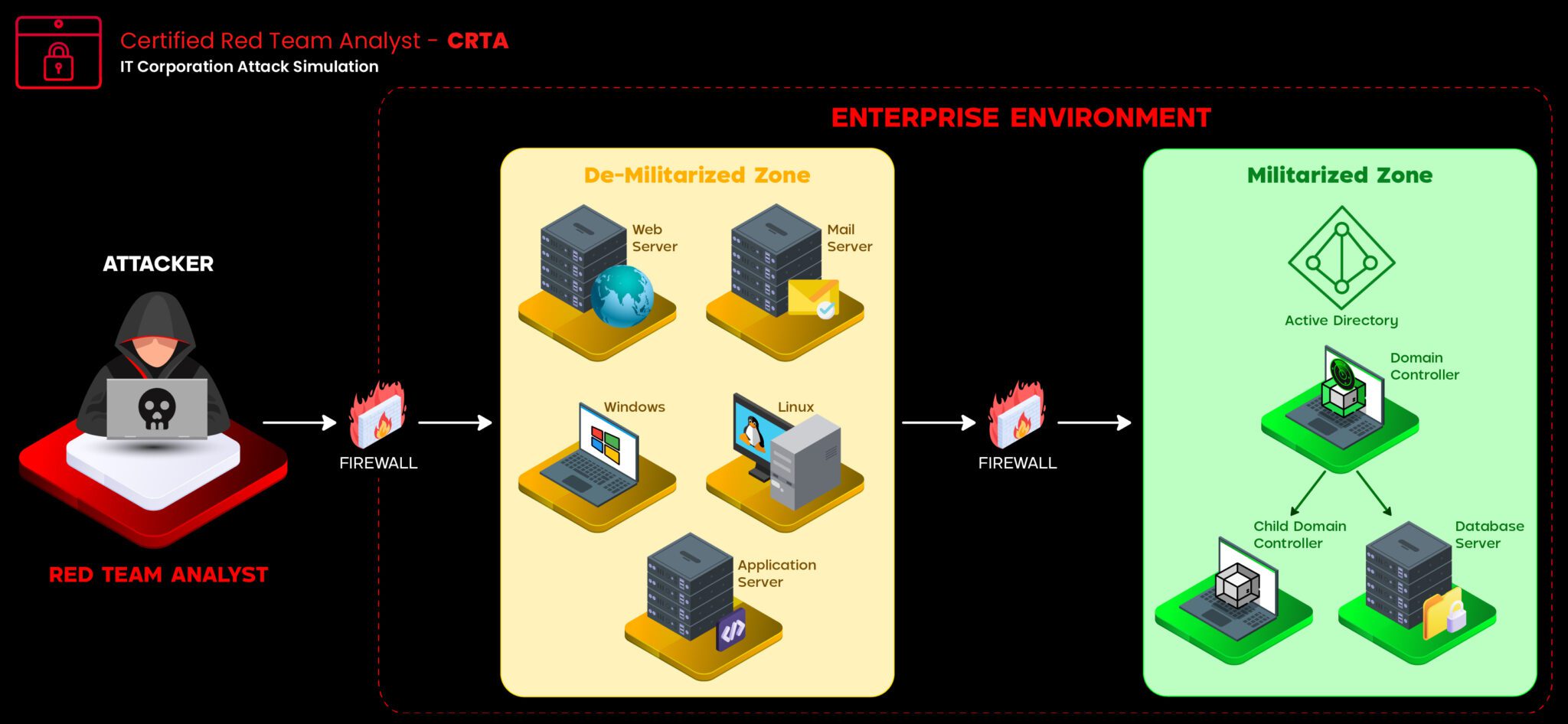
- Perform Red Team Cycle in Enterprise Environment
- Hands-on Offensive Operations in External & Internal environment
- Multiple segregated networks with updated Windows workstations
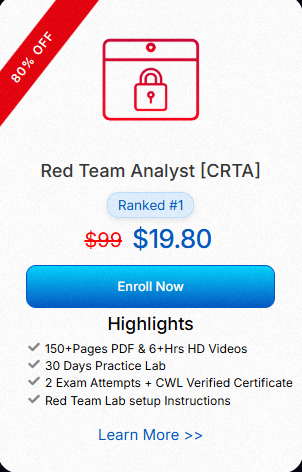
According to information on the website, CRTA offers a fully hands-on course for beginners, with course materials that include virtual labs for practice, videos, 30 days of practice labs and a PDF containing hundreds of pages. This certification is also expected to help participants understand the mindset, tactics, techniques, and procedures (TTP) of adversaries. and the best part you will get 2 exam attempts, so you won’t be worried if the first attempt fails
Why I Chose CRTA
As I mentioned at the beginning, I’m looking for a certification that’s beginner-friendly, well-accredited, and, most importantly, not too expensive which is crucial for a student like me.
Another key factor that drew me to this certification is that it focuses on Windows AD penetration testing an area where I’m not yet proficient. Since I usually work on virtual labs or machines running Linux, I want to gain a thorough and solid understanding of the Windows environment. And that’s why I’m taking this CRTA.
Full Review on CRTA
Now that I’ve finished and been certified, here’s my honest review
Course & Material
untuk course & material menurut saya cukup baik, namun tidak sempurna. yang akan anda dapat jika mengambil sertifikasi ini ada:
- 150+ Pages PDF
- 6+ hrs HD Videos
- 30 Days Practice Lab
- Red Team Lab setup Instructions
The PDF material is quite comprehensive and well-organized. It consists of 5 chapters and several subsections, namely:
- Introduction to Red Teaming:
- Red Team Lab Setup
- Red Teaming in External Environments
- Red Teaming in Internal Environments
- Case Study
Chapter 1 covers general knowledge and several definitions related to red teaming or offensive security, including what red teaming is, the phases of a red team attack, red team infrastructure, an overview of the enterprise environment, and commonly used exploitation tools
Chapter 2 covers how to set up a Red Team virtual environment, starting with setting up and configuring a virtual machine, setting up the attacker machine, setting up an external Red Team lab, and setting up an internal Red Team lab
Chapters 3 and 4 primarily expand on the explanations provided in the subsections of Chapter 2 namely, the internal and external environments covering topics ranging from external reconnaissance, enumeration, and exploitation to post-exploitation, while the section on the internal environment focuses more specifically on the Active Directory environment itself.
and for the final chapter, which refers to the lab video provided by the Cyberwarfare Labs team, the full video from start to finish
Lab Environment
Since this certification provides 30 days of access to the virtual lab, I’m definitely going to take advantage of that opportunity to practice. When we request lab access, we’re given VPN access to get started.
the objective
The primary objective of this Red Team Operation is to assess the security posture of the enterprise environment. The engagement aims to identify vulnerabilities, and misconfigurations in the AD environment and provide actionable recommendations for enhancing the security of the infrastructure.
Scope of engagement
FIeld	Value
VPN IP Range	10.10.200.0/24
External IP Range	192.168.80.0/24
Internal IP Range	192.168.98.0/24
The lab itself covers virtually everything taught in the course, from the reconnaissance phase, through enumeration and information gathering, all the way to exploitation. I found this lab to be really exciting and fun, and I’d say the difficulty level is probably medium especially for those who aren’t used to working on Windows machines. The network pivoting section was new and unique to me otherwise, it was excellent.
During The Exam
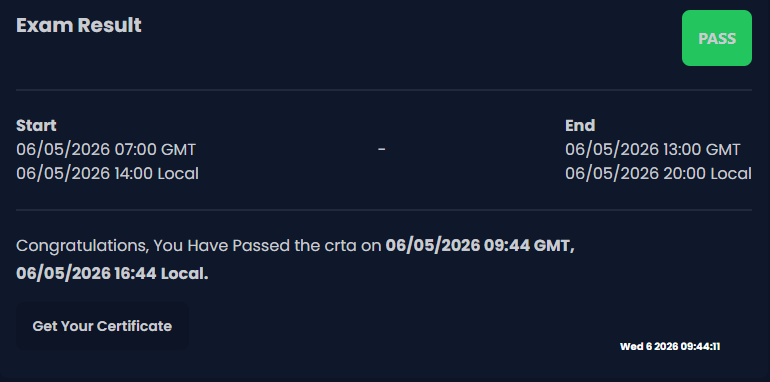
After studying and practicing for several days even weeks I mustered up the courage and got ready to take the exam. The day before the exam, I scheduled it for 2 p.m., after I got back from campus
The big day is here The exam is flag-based, with a target of 18 flags that must be obtained to become certified. I started with reconnaissance and enumeration. I was able to find the first few flags fairly quickly and without any issues, but then I got pretty stuck perhaps because I was overengineering and overcomplicating things without checking the small, low-hanging ones.
After doing some research and reviewing the course material, I finally broke through the frustration. The enumeration phase is complete, so I’m moving on to the information gathering phase to collect all the information I can find. I’m searching for hidden directories and unique endpoints.
and after successfully gaining access, escalating from the network pivot, and reaching the Administrator user, I finally completed the exam in 2 hours and 44 minutes
Tips and Tricks
- 70 - 80% of this exam is mostly recon, take your time don’t rush and give a little break if you’re stuck or frustrated
- Document all the findings in one note, whatever app your using keep it clean and organized
- Impacket tools and bloodhound are gold, make sure to use those
- Learn from other platforms such as Tryhackme and Hackthebox for hand-on learning
Summary
My conclusion, as a student who enjoys learning new things, is that this certification is quite comprehensive, and in my opinion, the difficulty level isn’t exactly beginner-friendly it requires resources beyond the course and labs provided. This certification might not be as prestigious as others, but for me, it’s more than enough to introduce me to a very comprehensive Windows AD environment, complete with honeypots designed to confuse test-takers, and I also got to know some tools I’d never tried before. If you have some spare lunch money, it’s definitely worth giving this a try.
My next goal: E-JPT
That’s my review of the CRTA certification I hope this post provides some useful insights. 😁🙌