Human Computer Interaction
→ View detailed version on GitHub
MindVault: Rethinking the E-Learning Experience
Project Type: Desktop Application | UI/UX Design
Tech Stack: C# .NET Framework (Windows Forms)
Role: Developer & Designer
Overview
Traditional e-learning platforms often struggle to keep students engaged, frequently relying on cluttered interfaces and uninspired designs. MindVault was developed to address this issue. Built as a final project for the CHC401 Human-Computer Interaction course, this desktop application targets university students particularly freshmen adjusting to college life by transforming standard study routines into an interactive, gamified experience.
The Problem vs. The Solution
Many educational tools are functional but feel tedious to navigate, leaving students confused or unmotivated. The primary goal of MindVault was to simplify educational workflows through intuitive design. By integrating gamification and an aesthetically pleasing interface, the application makes studying, tracking progress, and taking quizzes feel seamless rather than like a chore.
Core Features
- Streamlined Navigation: A quick-access panel allows users to immediately jump into courses, quizzes, and tracking modules without digging through nested menus.
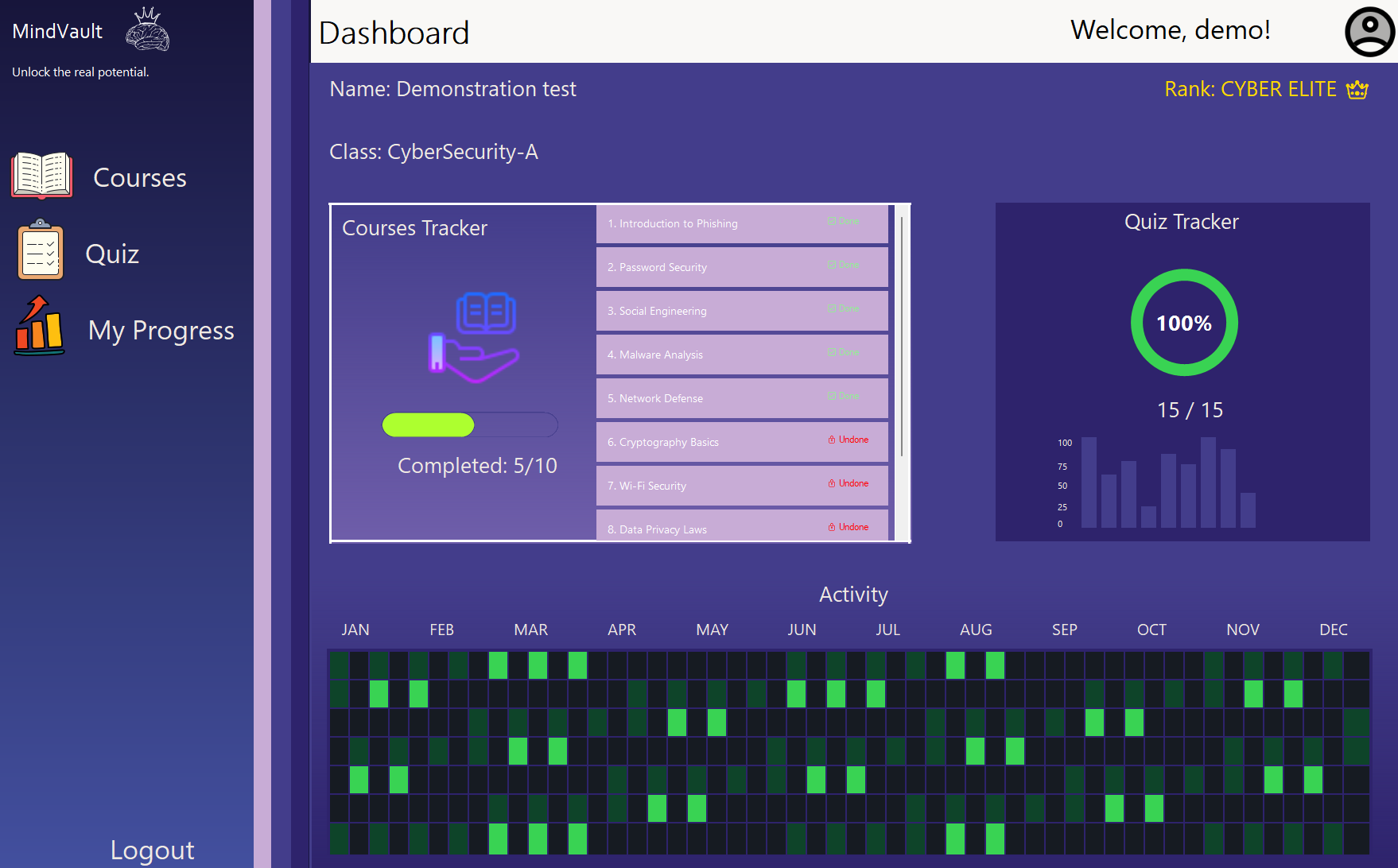
- Gamified Progress Tracking: The “My Progress” dashboard visualizes student performance, displaying high scores and ranks to encourage consistent learning.
- Instant System Feedback: The application provides real-time confirmation of user actions, utilizing dynamic hover effects and color-coded quiz reviews.
Design Philosophy
MindVault was built with strict adherence to Human-Computer Interaction (HCI) principles to prioritize user comfort and efficiency:
- Minimalist Aesthetics: The interface utilizes a “Flats UI” design, stripping away unnecessary borders and visual clutter for a modern look.
- Midnight Lavender Theme: A purpose-built dark mode designed specifically to reduce eye strain during prolonged, late-night study sessions.
- Consistency & Visibility: A strict color palette ensures users instinctively understand system feedback (e.g., green indicates success, red indicates an error), while the system status and user ranks remain clearly visible at all times.
Technical Implementation
The application was developed using C# and the .NET Framework via Windows Forms. To maintain a lightweight and highly responsive footprint, data persistence for user profiles and quiz scores is handled locally through structured text files.