Password Manager
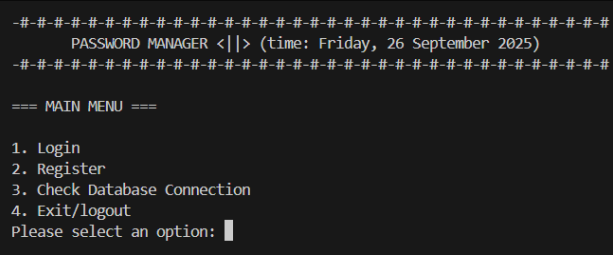
A terminal-based password manager built as a semester project at CCIT-FTUI. The core idea was simple: implement full CRUD operations around a vault system where credentials are stored encrypted in a MySQL database and the developer never sees the actual passwords.
How It Works
After registering and logging in with a master password, you create vaults isolated containers each protected by their own password. Inside a vault, you store credential entries: website/URL, username, and password. The password field is stored as VARBINARY so it never appears as plaintext in the database, even to whoever has direct DB access.
The flow:
Main Menu → Login/Register
    ↓
Vault Menu → Create / Open / Edit / Delete vault
    ↓
Inside Vault → Add / List / Edit / Delete entry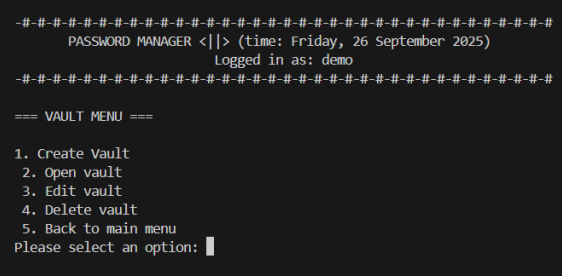
Destructive actions (delete vault, delete entry) require typing DELETE as explicit confirmation. Vault updates and deletes require re-entering the vault password.
Security
Master passwords and vault passwords are hashed with bcrypt and salted, so every hash is unique even for identical inputs. Credential passwords stored in vault_entries use MySQL’s VARBINARY(1024) type they’re encoded/encrypted at the application layer before being written to the DB.
Database Schema
Three tables: users → vaults → vault_entries, with cascading deletes so removing a vault also removes all its entries.
Stack
Python · MySQL · mysql-connector-python · bcrypt
Requirements
pip install mysql-connector-python bcryptYou’ll also need a running MySQL server. Update the DB connection config in utils.py with your credentials before running.
python main.py